How to share ChatGPT-generated HTML privately
Add rtfx.pro to ChatGPT as a custom MCP server, ask ChatGPT to publish the page you made, then choose who can open it. People sign in with an email code, and you can see who opened it.
Connect rtfx to ChatGPT
The rtfx server address is https://mcp.rtfx.pro/mcp. We connected ChatGPT to rtfx and published from it on 6 November 2026; the
screenshots are from that run, except the rtfx consent screen, which we captured again afterwards.
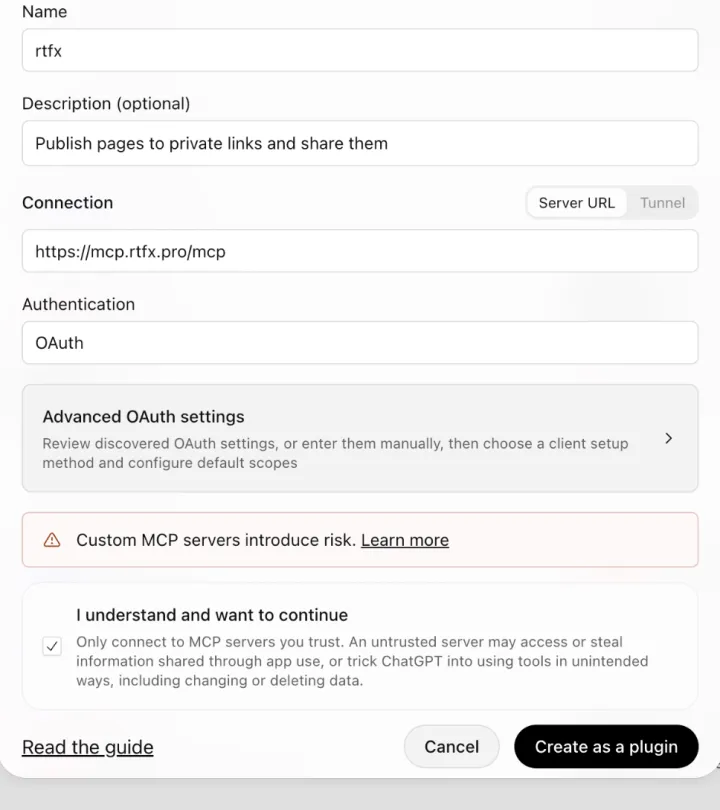
- Open Plugins at chatgpt.com/plugins, select Add, then Custom MCP server.
- Enter a name, such as rtfx, put the server address above under Connection, and choose OAuth under Authentication. You can leave Advanced OAuth settings alone: ChatGPT discovers rtfx's sign-in settings itself, and its default client registration works with rtfx, so there is no key or client secret to paste.
- Read the risk warning, select I understand and want to continue, then Create as a plugin.
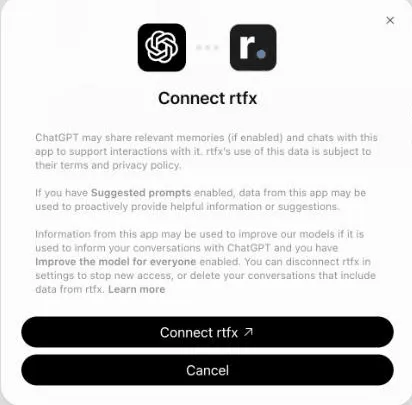
- Select Connect rtfx. A new tab opens on rtfx.pro.
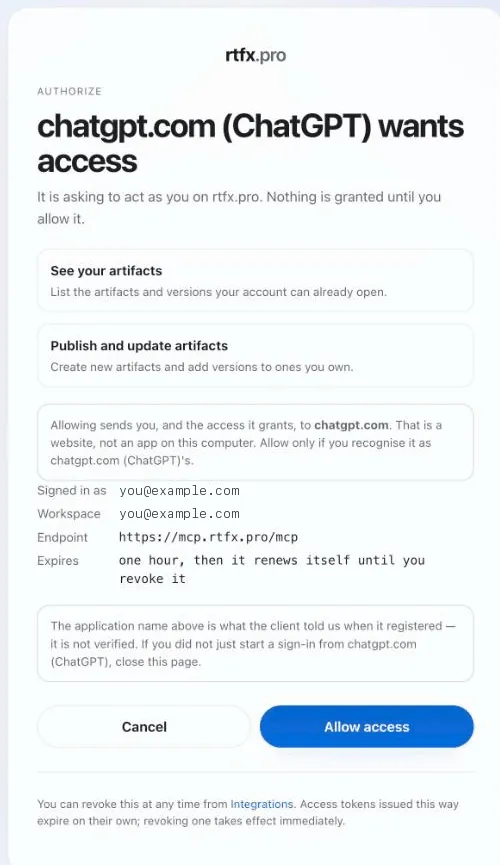
- Sign in with the code we email you. rtfx then lists exactly what ChatGPT is asking for, and nothing is granted until you select Allow access. When we connected, ChatGPT asked to see and publish artifacts and also to manage and delete them; rtfx lists that last permission on its own line, marked destructive. The screenshot below shows a request for the first two only. ChatGPT sets what it asks for under Default scopes in Advanced OAuth settings, and you can revoke the access at any time from Integrations in rtfx.
OpenAI notes that workspace permissions and security restrictions apply, and to only connect servers you trust. Its guide doesn't state plan tiers, so check what your plan and workspace allow.
Source: OpenAI's custom MCP server guide, read 2026-11-06.
Publish from a ChatGPT conversation
Start a chat, type @ and pick rtfx (or select Try in chat on the plugin's page), then ask for the page you want and say to publish it with rtfx.
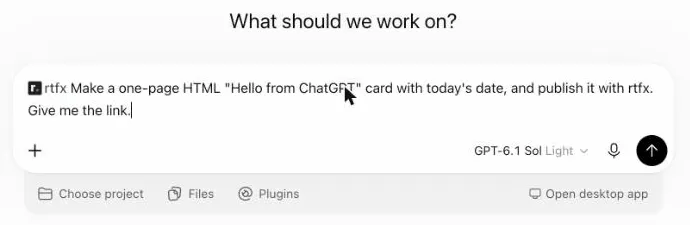
ChatGPT writes the page, calls rtfx's publish tool, and replies with the link. In our test that took about half a minute.
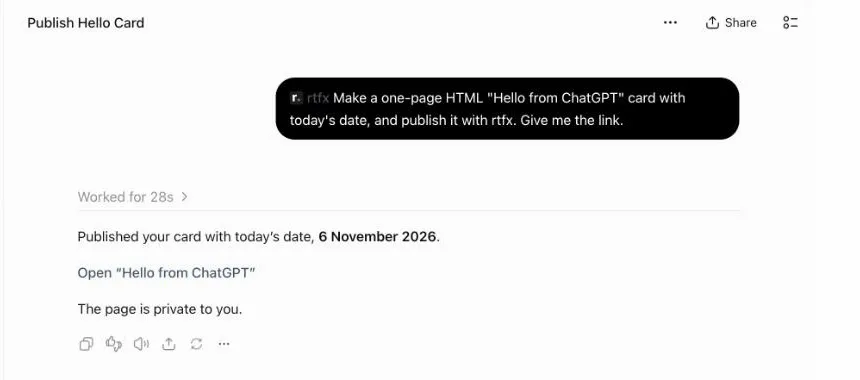
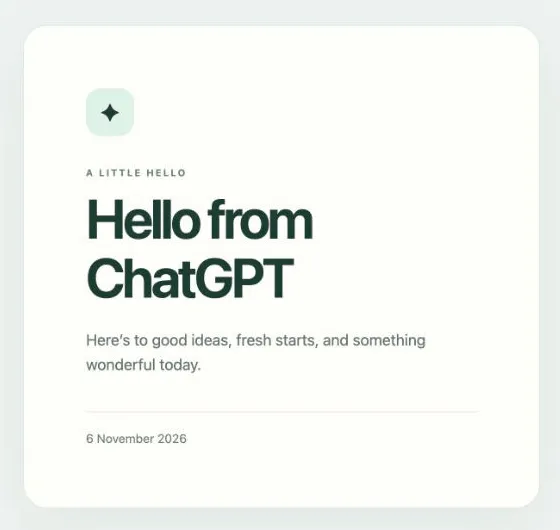
Publish, share, update
- Publish. Ask ChatGPT:
Publish this page with rtfx as a private link.
It replies with the link. The artifact is private to you, plus members of your team workspace if you publish to one. - Share. Ask:
Share it with dana@acme.com.
Dana signs in with a one-time code sent to her email; she needs no account with ChatGPT. For someone you would rather not add by name, create a named share link on the artifact's Share page, with an optional expiry of 1 to 365 days that you can extend or revoke. - See who opened it. The view log on the Share page records who, when and on what device.
- Update. Publish again to the same name and the same link shows the new version; you can roll back.
Questions
Why does ChatGPT ask me to approve a publish?
Publishing creates something, so the rtfx publish tool is a write action, not a read-only one. OpenAI's guide says write actions require confirmation by default, and tools count as write actions unless they carry a read-only hint. Review the input before approving. Listing artifacts and reading details or view statistics are marked read-only.
ChatGPT says some app settings were rejected. What now?
When we tested, that message came from the icon. ChatGPT wants a real PNG file of 10 KB or less, and it refused a .ico file renamed to .png. Remove the icon or pick a small PNG, then create the plugin again.
The Connect button keeps spinning. How do I fix it?
That happened to us after a sign-in attempt that had failed. Uninstalling the plugin from ChatGPT's Plugins settings and installing it again from its page brought back a working Connect button, and the plugin kept its settings.
Is the connector available on every ChatGPT plan?
OpenAI's guide for custom MCP servers doesn't list plan tiers, and says workspace permissions apply. Check the guide and your workspace settings rather than a third-party summary.
Do the people I share with need a ChatGPT account?
No. People you add by email sign in with a one-time code sent to their address, and a share link opens with no sign-in. They never need an account with the tool that made the page.
Can I see who opened the page?
Yes. Every artifact has a view log on its Share page: who opened it when signed in, which share link was used, when, and on what device. You can also ask the assistant who has opened it.
What does it cost?
There is a Free plan. Pro and Team add more artifacts, storage and people. rtfx staff see metadata only, never artifact content.